
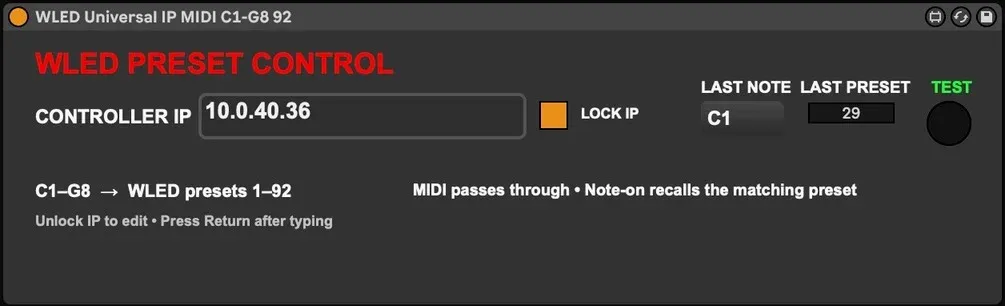
WLED - Max for Live Device
Trigger WLED directly from Ableton Live. This Max for Live MIDI Effect lets you recall WLED presets instantly from MIDI notes.
Description
No OSC programming. No middleware. No scripting.
Just drop the device onto a MIDI track, enter your WLED IP address, and start programming.
Features
- C1-G8 → WLED Presets 1-92
- Editable controller IP
- Lockable IP field
- Last triggered note display
- Last triggered preset display
- Test button
- Clean Ableton Live interface
- Zero configuration beyond entering the IP
Requirements
- Ableton Live Suite (or Live with Max for Live)
- WLED
- Same local network
Installation
- Copy the .amxd into your User Library.
- Drag onto a MIDI track.
- Enter your WLED IP.
- Done.
Designed by Jesse@freejoy.club